Understanding The Project Collaborator Role
A project collaborator is a user added to a specific project with a designated access level to the MirrorMe platform. You will start off with access to one project and can be added to more by a manager.
In the Admin App, click the project collaborators tab to add or remove users and modify existing user roles.
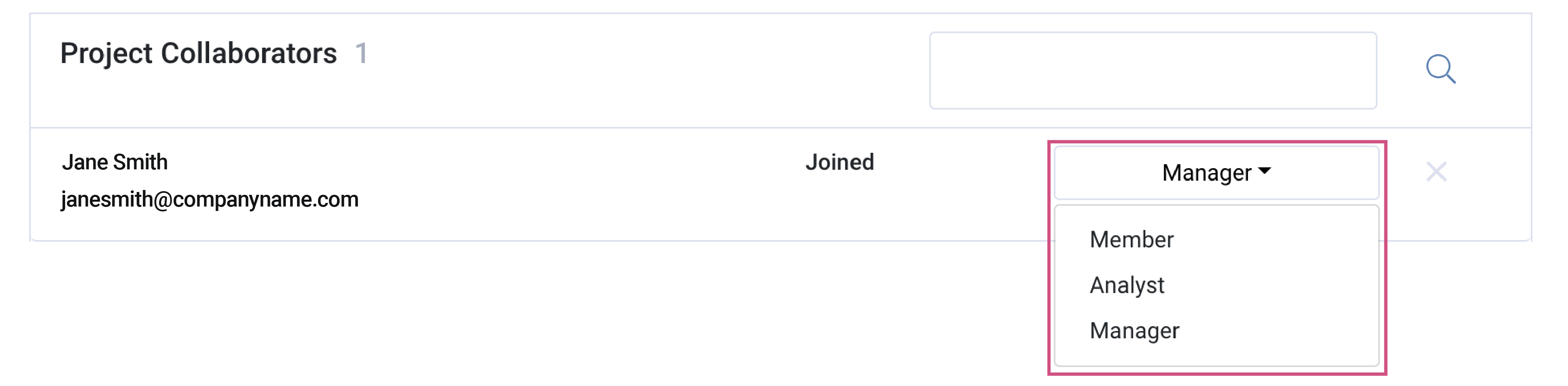
Collaborator Roles
Managers serve as administrators with access to the Admin App and the Service App. They are able to:
- create projects
- delete projects
- edit project settings
- build workflows
- manage collaborators on the account/project level
- access reporting tools
- view all activity in the Service App
Note: Managers are unable to delete accounts.
Analysts have access to the Service App and are able to:
- make live video calls
- send and resend workflows
- view their activity and team members' activity within assigned projects
Members have access to the Service App and are able to:
- make live video calls
- send and resend workflows
- view their activity within assigned projects
Note: Analysts and Members do not have access to the Admin App.
If a login attempt is made, the user will be redirected to the Service App.
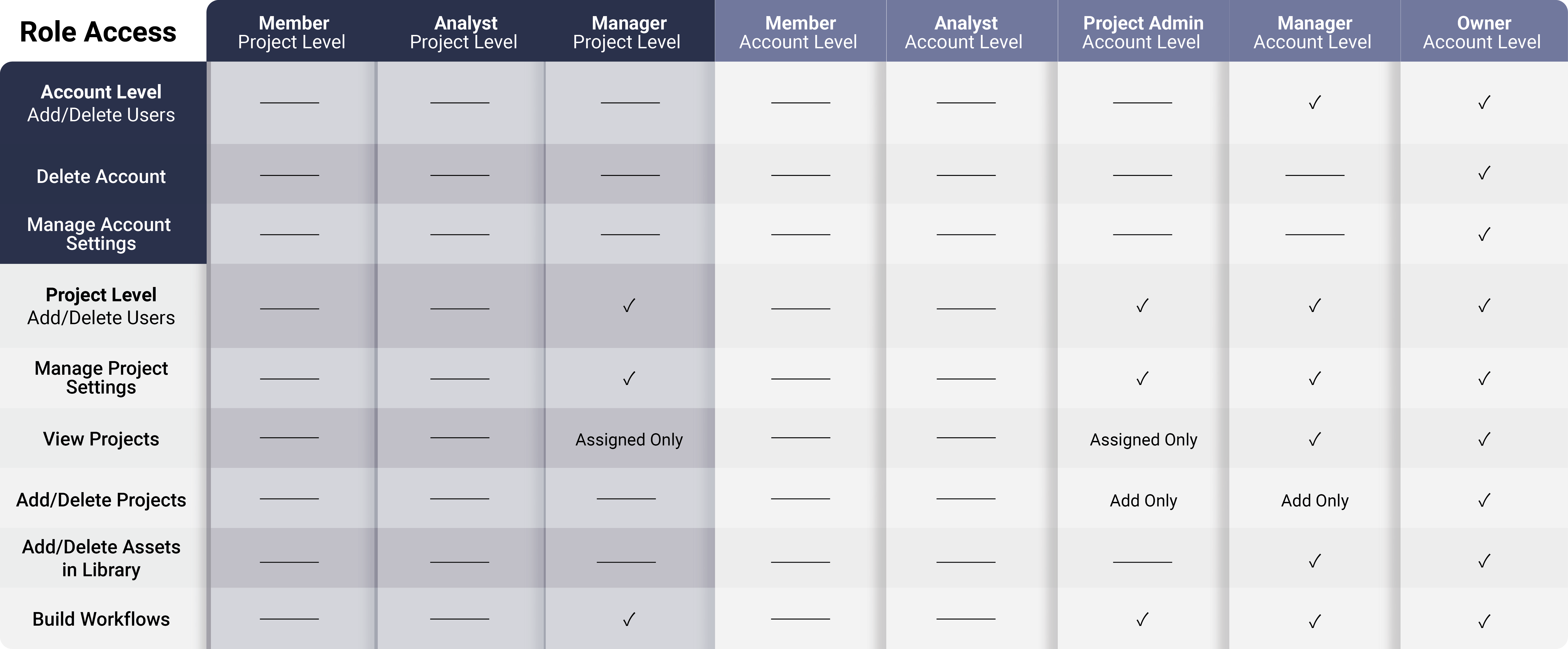
See the following diagram for a comprehensive breakdown of collaborator roles in the Admin App:
See the following diagram for a comprehensive breakdown of collaborator roles in the Service App:
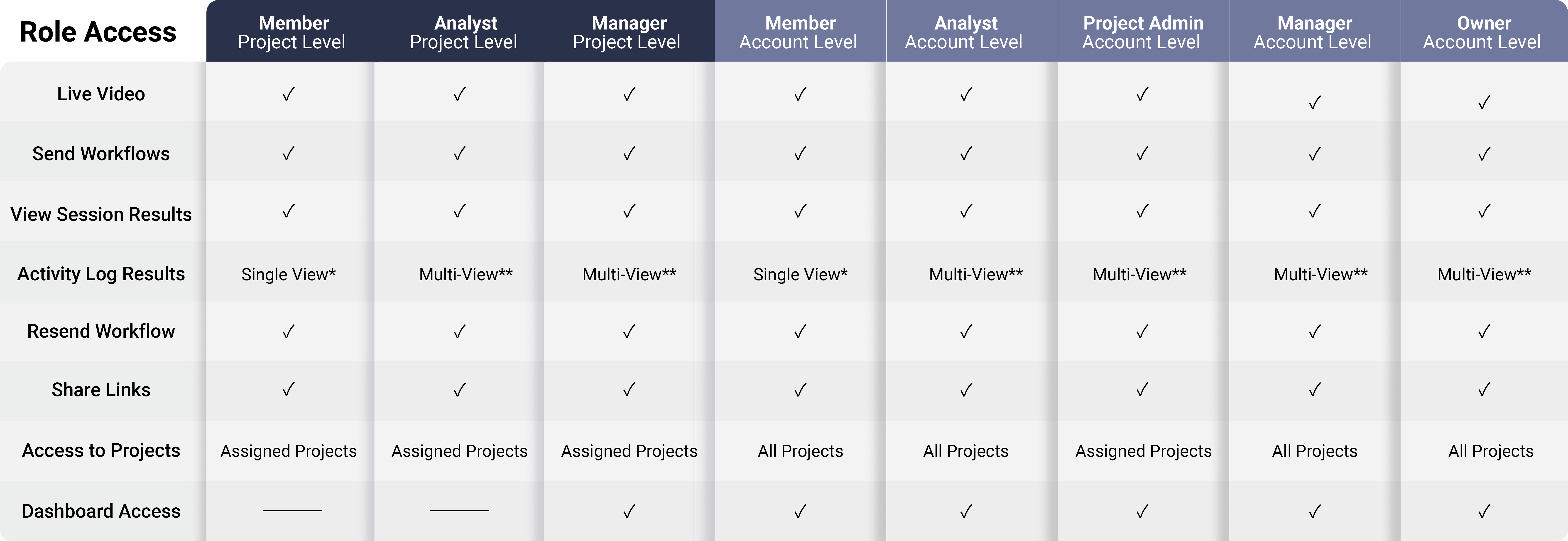
* Single-View is the ability to see your user activity in the Service App's activity log.
** Multi-View is the ability to see all user activity in the Service App's activity log.
To download this article, click print from your browser to save it as a PDF.