Understanding The Account Collaborator Role
Account collaborators have full access to projects and system operations. The account collaborators tab in the Admin App lets you view collaborators on the account level.
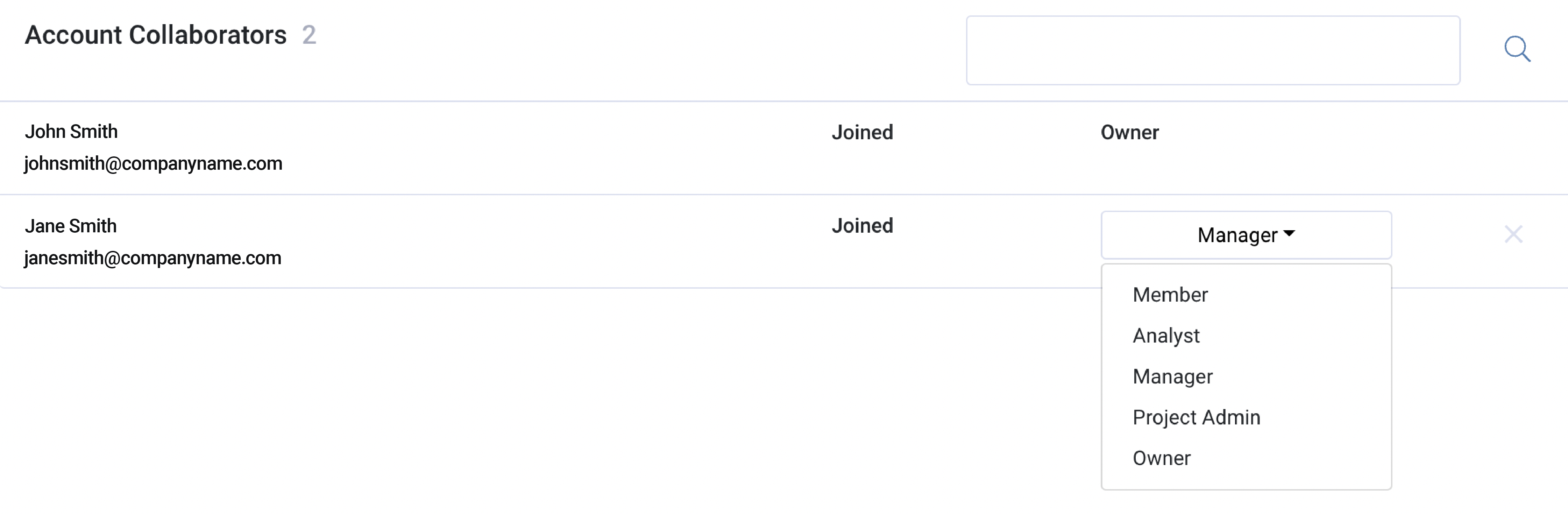
Account Collaborator Roles
Account collaborator roles are similar to the project level collaborator roles, in that the access level is the same in the Service App. These roles are more significant in the Admin App. See the access breakdown below.
The Owner of an account has complete access to all MirrorMe platform features. They are able to:
- manage account and project level collaborators
- edit project and account settings
- modify privacy settings for account and projects
- create templates
- create and delete projects
- build workflows
- view all activity in the Service App
- access reporting tools
- delete the account
Note: The user that creates the account is the Owner. Ownership is transferable and
will automatically downgrade you to a manager role.
Managers serve as administrators with access to the Admin App and the Service App. They are able to:
- create projects
- delete projects
- edit project settings
- build workflows
- manage collaborators on the account/project level
- access reporting tools
- view all activity in the Service App
Note: Managers are unable to delete accounts.
Project Admins have the same access level as a manager, though they can only view the projects they have created. For example, you may want to use this role if you have a portfolio of clients where each client has their own project and each team member manages a portfolio of clients. This way each team member can keep their client projects independent.
They are able to:
- create a project
- delete projects
- edit project settings
- build workflows
- manage collaborators within a project
- access reporting tools
- view all activity for their projects in the Service App
Note: Project admins only have access to the project level.
Analysts only have access to the Service App and are able to:
- make live video calls
- send and resend workflows
- view their activity and team members' activity within assigned projects
Members have access to the Service App and are able to:
- make live video calls
- send and resend workflows
- view their activity within assigned projects
Note: Analysts and Members do not have access to the Admin App.
If a login attempt is made, the user will be redirected to the Service App.
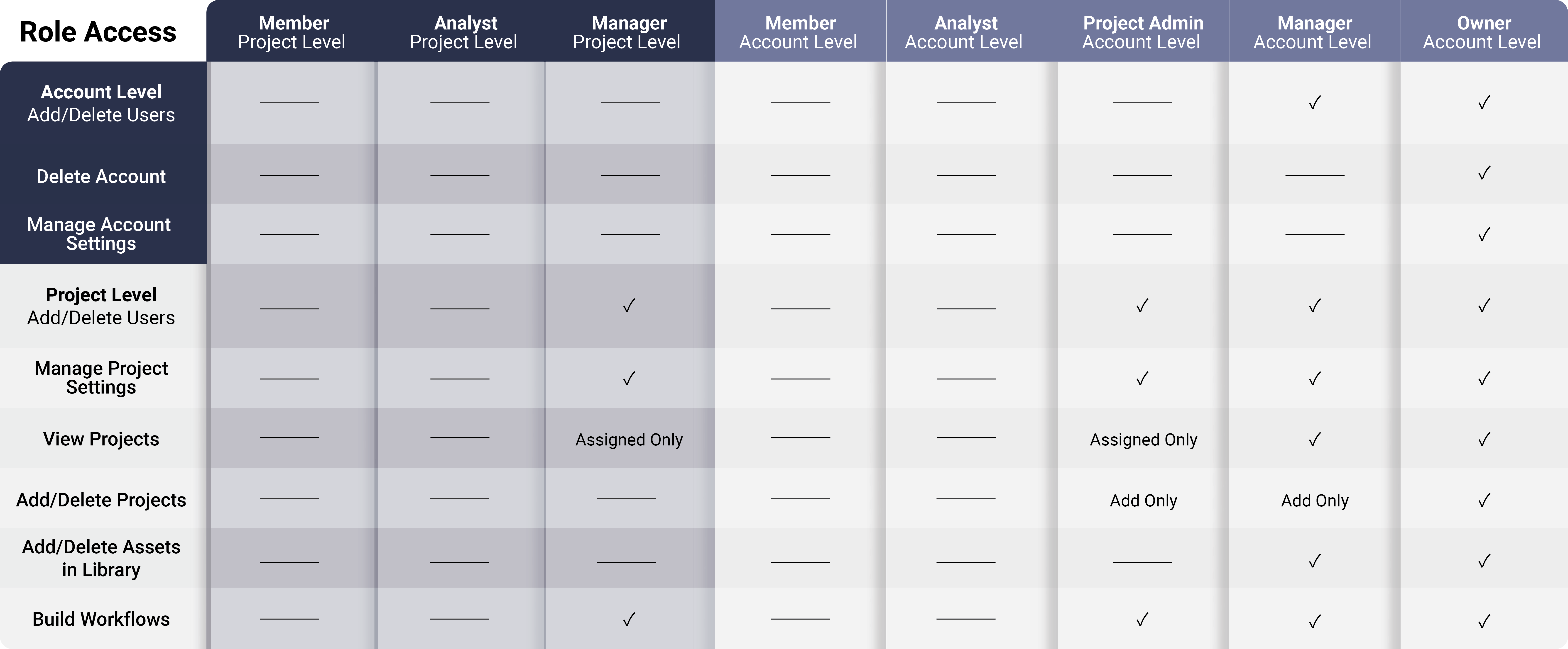
See the following diagram for a comprehensive breakdown of collaborator roles in the Admin App:
See the following diagram for a comprehensive breakdown of collaborator roles in the Service App:
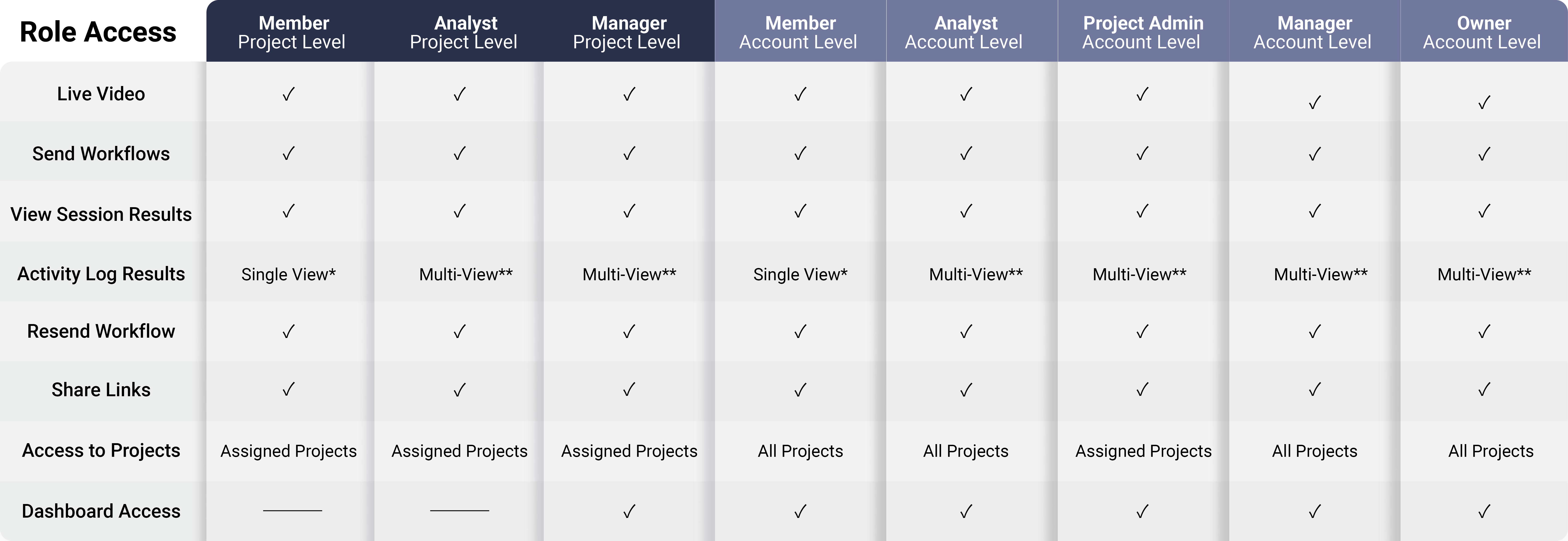
* Single-View is the ability to see your user activity in the Service App's activity log.
** Multi-View is the ability to see all user activity in the Service App's activity log.
To download this article, click print from your browser to save it as a PDF.