All MirrorMe users are assigned a role on the platform. The owner and manager role have access to both the Admin App and Service App.
Diagram of collaborator roles in the Service App:
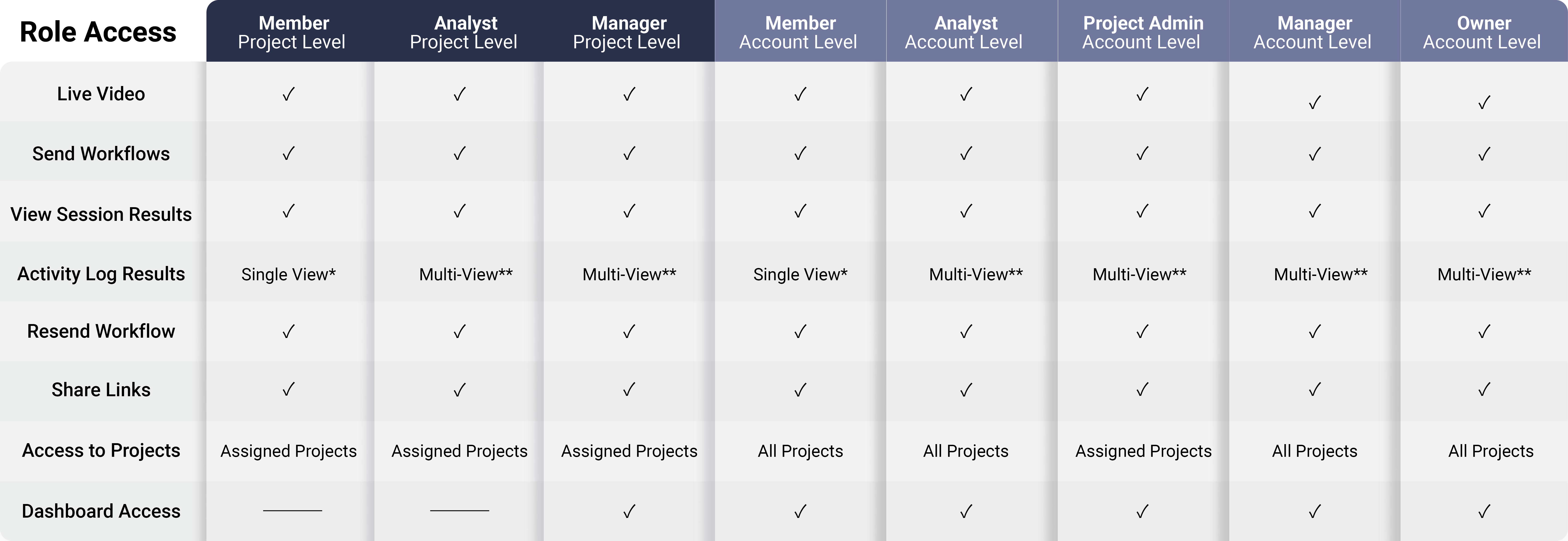
* Single-View is the ability to see your user activity in the Service App's activity log.
** Multi-View is the ability to see all user activity in the Service App's activity log.
Diagram of collaborator roles in the Admin App:
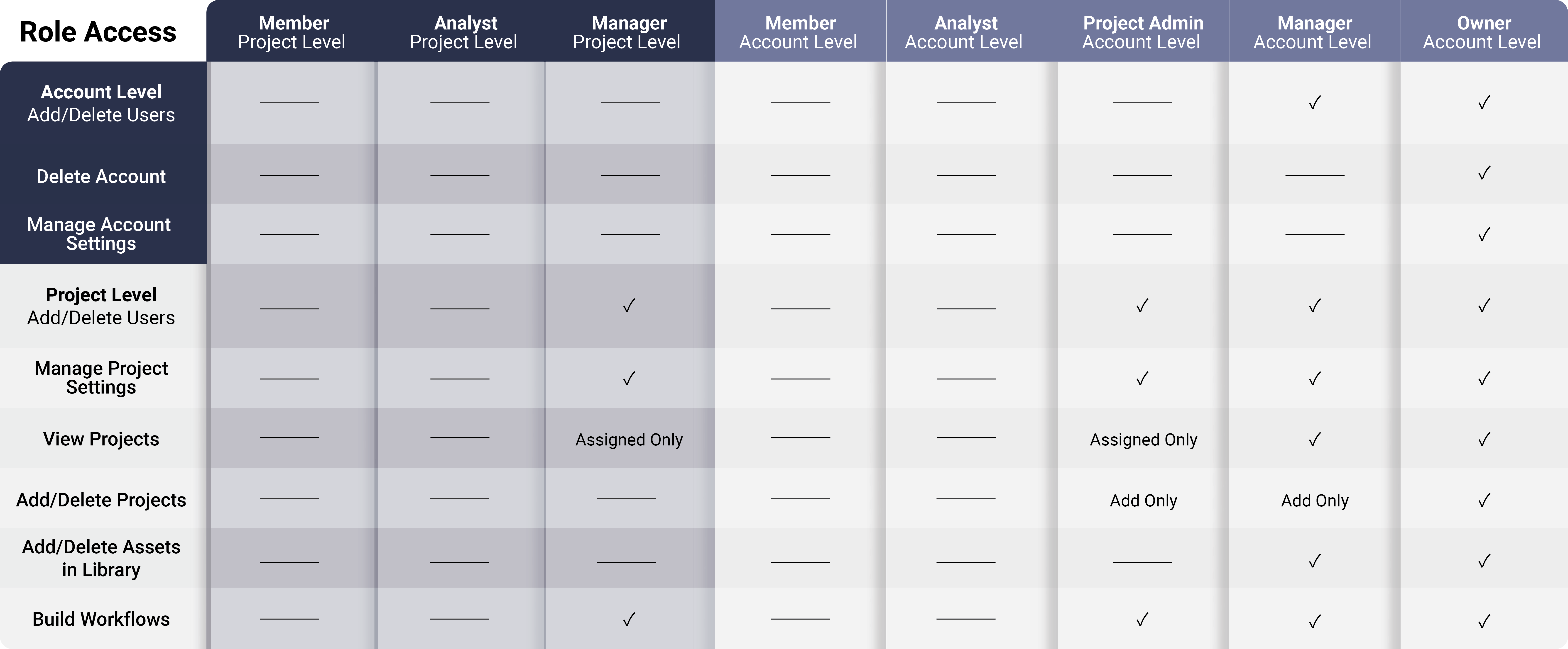
Breakdown of Collaborator Roles
The Owner of an account has complete access to all MirrorMe platform features. An owner can:
- manage account and project level collaborators
- edit project and account settings
- modify privacy settings for account and projects
- create templates
- create and delete projects
- build workflows
- view all activity in the Service App
- access reporting tools
- delete the account
Note: The user that creates the account is the Owner. Ownership is transferable and
will automatically downgrade you to a manager role.
Managers serve as administrators with access to the Admin App and the Service App. A manager can be added to the account level with full access to all projects or as a project manager with access to only the project(s) assigned. A manager can:
- create projects (account level only)
- delete projects (account level only)
- edit project settings
- build workflows
- manage collaborators
- access reporting tools (account level only)
- view all activity in the Service App (limited to access level)
Note: Managers are unable to delete accounts.
Project Admins have the same access as a manager, though they can only view the project(s) they have created. For example, you may use this role if you manage a portfolio of clients where each client is assigned their own project and each team member manages a portfolio of clients. This way each team member can have access to their own client projects, independent of other team members. A Project Admin can:
- create a project
- delete projects
- edit project settings
- build workflows
- manage collaborators within a project
- access reporting tools
- view all activity for their projects in the Service App
Note: Project admins only have access to the project level.
Analysts only have access to the Service App and are able to:
- make live video calls
- send and resend workflows
- view session activity and team members' activity within assigned projects
- download content reporting
Members only have access to the Service App. Members can only view their own activity. A member can:
- make live video calls
- send and resend workflows
- view session activity within assigned projects
- download content reporting
Note: Analysts and Members do not have access to the Admin App.
If a login attempt is made, the user will be redirected to the Service App.
To download this article, click print from your browser to save it as a PDF.